Improving interactivity with Javascript
Push buttons, radio buttons, check boxes, select boxes, and text inputs. That's the controls HTML allows us to use to interact with our users.
A small dedicated group of people at the office (I work at Valtech) sat down and listed all controls we could think of. The list below is basically that list, completed with examples where possible. Let me stress that the below controls are meant as inspiration. They are not all free, or even available for download. If you decide to use one of the ideas, google for them first and pick the best one. While selecting one, make sure it supports some kind of fallback for users without javascript enabled.
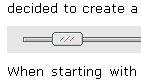
Slider#
Slider control meant to let users select values from a range of options.
Date picker#
What format should this date be? What weekday is the 15:th of august? A good date picker helps the user answer those questions and makes filling in dates much more delighful.

Smart text boxes#
It's easy to make some text boxes only allow certain kinds of characters. Why allow letters in the age field?

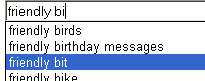
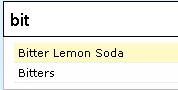
Mixing text inputs with select boxes#
Allow users to both input text and pick common options.
Drag and Drop#
Users are used to dragging and dropping things from their operating systems. Letting them do the same on the web makes for a great affect! Don't forget about a fallback though, not everyone uses a mouse (A buy-button is enough).


Collapse and expand control#
Makes it possible to quickly show less important information on demand. Just make sure everything is open by default (with no javascript).
Advanced tooltips#
When the title attribute is not enough. Use images, fine-tune the delay, make them sticky if you click them, it's all up to you!

Autosaving form fields#
If you write an email with Gmail and the browser crashes, you'll appreciate that Gmail automatically saves your text regularly. It's done with a simple piece of javascript that periodically sends all your text off to the server, and saves it away. Simple and very useful.
Auto validation#
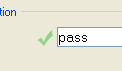
While filling in some forms you'll notice a little green check on the side. I can't begin to praise how much faster this makes filling out forms. Directly after you've written enough letters in the password field you'll find that it's ok. No more trial and error against a slow server (unless you have javascript off, of course).
Controls affecting each other#
In complex forms it's not unusual to want the user to fill in either one set of fields or another. The showing and hiding of what fields are available is a another perfect case of where javascript really helps.
Image handling#
It's time to get easy handling of images in browsers. Javascript can help there too, by combining drag and drop with resizing and so on. Photoshop, here we come!

Search-based or structured navigation#
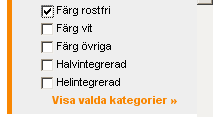
Sometimes new navigation schemes can be useful. Using search instead of navigation is an interesting idea. Another is letting the user pick categories and using them in search.
Better looking form fields#
Javascript also allows you to enhance existing form fields with prettier equivalents.

Sortable items#
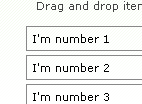
Sometimes you want drag and drop in a more controllable manner. Why not use it to make it easier to sort your lists?
That's all! Hope I've given you some ideas of widgets/controls you can use to enhance user experience. Good luck!
Comments
By: Michael (#1)
By: Ajit Burad (#2)
in some case image maps can also be useful.. like in case of color picker etc... like here: Paint Chat
By: zcorpan (#3)
By: Emil Stenström (#4)
By: zcorpan (#5)
Slider: <input type=range>.
Date picker: <input type=date>.
Smart text boxes: Depending on what you want to allow in the text field you could use different type="", and/or you could use pattern="". Whether it will be possible to enter other things is up to the UA really -- the spec only says what can be sent to the server.
Mixing text inputs with select boxes: <datalist>. (This is designed in a way that you can make it degrade nicely in legacy UAs -- basically you can take the scripted version you have now and slap a <datagrid> around it and Opera users will get a native UI.)
Drag and Drop: This has been used since MS invented it, but it has never actually been specced until now in HTML5.
Collapse and expand control: <details> in HTML5.
Advanced tooltips: Hmm... Perhaps you could use XBL2 for this.
Autosaving form fields: This should IMHO be a browser feature (and indeed I think at least Opera and/or Firefox has it).
Auto validation: With the :valid and :invalid CSS pseudo-classes you can indicate which fields are valid and which are not.
Controls affecting each other: I think this was considered but rejected for WF2; it still has to be scripted.
Image handling: I guess you could do even more with <canvas> from HTML5. :-)
Search-based or structured navigation: This seems like it would be implemented on the server (or with Ajax).
Better looking form fields: Well, this is the domain of CSS, really. But perhaps XBL2 will be supported before browsers allow more styling of form controls.
Sortable items: Drag and drop again.
Ok, you're right, some things aren't in WF2, but with backup from Web Applications 1.0 and XBL2 most things are covered. And yes, you're right, those specs are still very new and not implemented in many browsers yet.
Sorry if I took this slightly off-topic; I couldn't help it. ;-)
By: Jesse Skinner (#6)
By: Lars Gunther (#7)
http://www.whatwg.org/specs/web-forms/current-work/
Lars Gunther
By: Emil Stenström (#8)
By: Jesper Rønn-Jensen (#9)
I think they come in handy, when you need something in between an autocomplete field and a traditional dropdown field.
By: Emil Stenström (#10)
By: Ski (#11)
Also I've done some resizable tables with dragable columns and reordering etc. Was for a prototype and a one-off, but it was done and it worked quite nice!
Regards
By: Burad’s Blog » Blog Archive » Improving interactivity with Javascript (#12)